OpenID4VP Cross-Device Flow: Building eIDAS 2.0 EUDIW Authentication in Your SaaS 2026
Post #2 in the sota.io EU Digital Identity & eIDAS 2.0 Developer Series
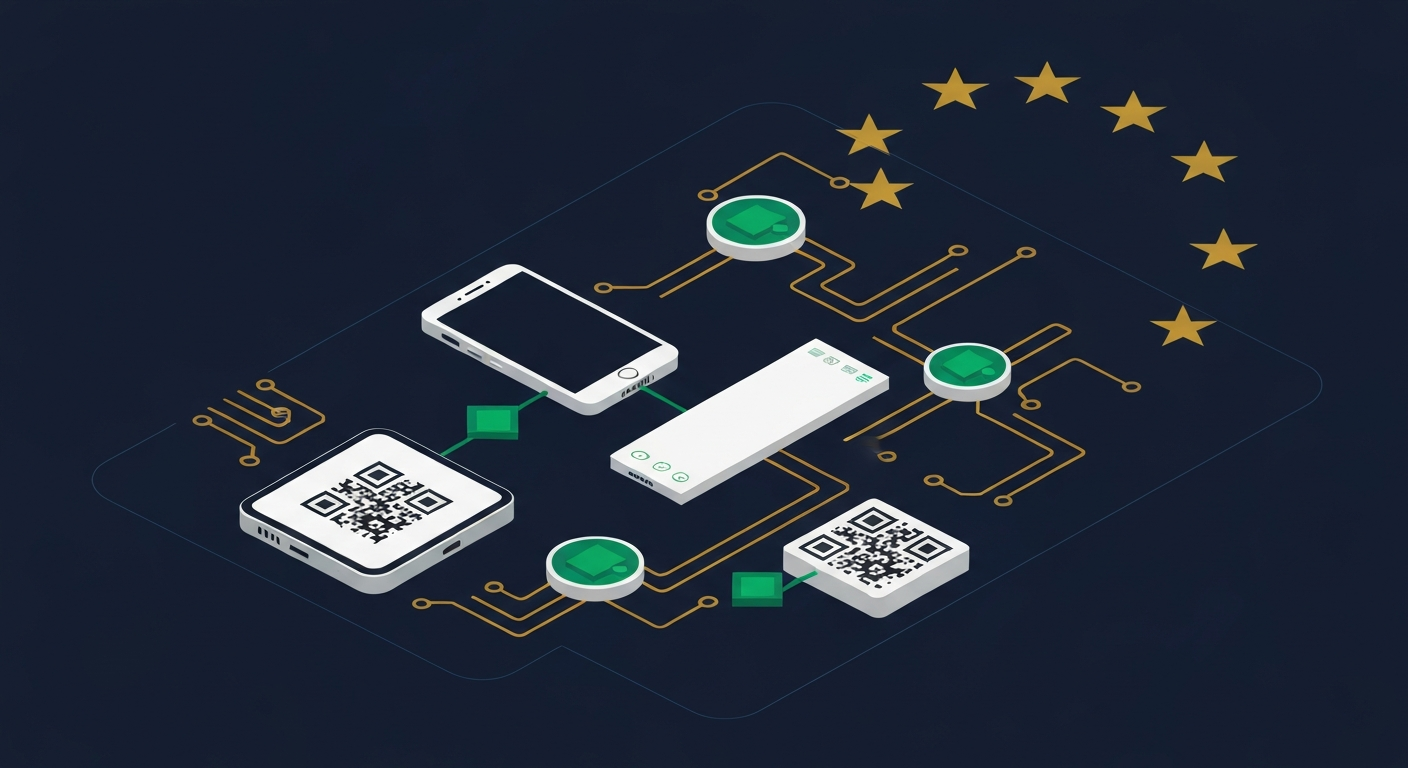
Post #1 covered who must accept the EU Digital Identity Wallet and the full ARF v2.4.0 architecture. This post goes one level deeper: how to implement the cross-device flow in practice — the scenario where the user authenticates on a desktop browser by scanning a QR code with their EUDIW-compatible wallet app on their phone.
This is the most common Relying Party integration pattern. Most SaaS platforms show a login screen on desktop; the cross-device flow lets the user prove their identity using their EUDIW wallet without leaving the desktop session.
Cross-Device vs Same-Device Flow
The OpenID for Verifiable Presentations specification (OpenID4VP) defines two fundamental flow modes:
| Flow | Trigger | Where Response Arrives |
|---|---|---|
| Cross-Device | RP displays a QR code; user scans with wallet on separate device | RP backend polls or receives redirect from wallet's backchannel |
| Same-Device | RP sends a deep-link (openid4vp://) that opens the wallet on the same device | Wallet redirects back to redirect_uri on the same device |
Cross-device is your default path for desktop web applications. The user loads your website on a laptop, sees a QR code, opens their EUDIW wallet on their phone, scans the QR, reviews the presentation request, approves it, and your backend receives the verified credential presentation — all without the user leaving the laptop session.
When to use which
- Desktop web SaaS → cross-device (QR code)
- Mobile-first apps (iOS/Android webview or native) → same-device (deep link)
- Progressive web apps with mixed usage → implement both, detect via
navigator.userAgentor client hints
This post covers the cross-device implementation only.
Protocol Overview
The cross-device flow involves five parties:
- User Agent (browser) — the user's desktop browser loading your SaaS
- Relying Party Frontend — your JavaScript running in the browser
- Relying Party Backend — your server handling session state and verification
- EUDIW Wallet — the user's phone running a certified eIDAS 2.0 wallet app
- Trust Framework — the national QTSP infrastructure that verifies issuer certificates
The flow at a glance:
Browser                    RP Backend                    User Wallet
   |                           |                              |
   |--- GET /auth/eudiw ------->|                              |
   |                           |--- Generate Session ID -----> |
   |                           |--- Create Auth Request ------> |
   |<-- QR Code (deep-link) ---|                              |
   |                           |                              |
   |--- Poll /auth/status? --->|                              |
   |    session_id=xxx         |                              |
   |                           |                              |
   |                           |<-- Wallet scans QR, sends -->|
   |                           |    VP Token (POST redirect_uri)|
   |                           |                              |
   |                           |--- Verify VP Token ---------->|
   |                           |--- Check Trust Chain -------->|
   |                           |                              |
   |<-- 200 Authenticated -----|                              |
Step 1: Generate the Authorization Request
When the user clicks "Sign in with EU Digital Identity Wallet", your backend generates an Authorization Request.
The Authorization Request is a signed JWT containing a Presentation Definition — a structured description of which credentials and attributes you need. It must be signed with your Relying Party private key (registered in the EUDIW Trust Framework).
Request parameters
| Parameter | Required | Description |
|---|---|---|
client_id | Yes | Your registered RP URI (must match your Trust Framework registration) |
client_id_scheme | Yes | "redirect_uri" for backchannel response |
response_type | Yes | "vp_token" |
response_mode | Yes | "direct_post" (wallet POSTs the response to your backend) |
redirect_uri | Yes | Your backend endpoint that receives the VP Token |
nonce | Yes | Cryptographically random, single-use, bound to session |
presentation_definition | Yes | Describes which credential/attributes to request |
state | Recommended | Your session identifier for polling |
client_metadata | Recommended | Your RP display name, logo URI, legal name |
TypeScript implementation
import { SignJWT, generateKeyPair, exportJWK } from 'jose';
import { randomBytes } from 'crypto';

interface SessionState {
  sessionId: string;
  nonce: string;
  status: 'pending' | 'completed' | 'failed' | 'expired';
  vpToken?: string;
  verifiedAttributes?: Record<string, string>;
  createdAt: number;
}

const sessions = new Map<string, SessionState>();

async function generateAuthorizationRequest(redirectUri: string): Promise<{
  requestUri: string;
  sessionId: string;
  qrCodeData: string;
}> {
  const sessionId = randomBytes(16).toString('hex');
  const nonce = randomBytes(32).toString('hex');

  sessions.set(sessionId, {
    sessionId,
    nonce,
    status: 'pending',
    createdAt: Date.now(),
  });

  // Build Presentation Definition requesting PID (Person Identification Data)
  const presentationDefinition = {
    id: `pd-${sessionId}`,
    input_descriptors: [
      {
        id: 'eu-pid',
        name: 'EU Person Identification Data',
        purpose: 'Verify your identity to access this service',
        format: {
          'vc+sd-jwt': {
            'sd-jwt_alg_values': ['ES256'],
          },
        },
        constraints: {
          limit_disclosure: 'required',
          fields: [
            {
              // Request given name
              path: ['$.given_name'],
              filter: { type: 'string' },
            },
            {
              // Request family name
              path: ['$.family_name'],
              filter: { type: 'string' },
            },
            {
              // Request age over 18 (selective disclosure — not full birthdate)
              path: ['$.age_over_18'],
              filter: { type: 'boolean' },
            },
          ],
        },
      },
    ],
  };

  // Sign the authorization request as a JWT
  const requestJwt = await new SignJWT({
    client_id: process.env.EUDIW_CLIENT_ID!,
    client_id_scheme: 'redirect_uri',
    response_type: 'vp_token',
    response_mode: 'direct_post',
    redirect_uri: redirectUri,
    nonce,
    state: sessionId,
    presentation_definition: presentationDefinition,
    client_metadata: {
      client_name: 'Your SaaS Platform',
      logo_uri: 'https://yoursaas.eu/logo.png',
    },
  })
    .setProtectedHeader({ alg: 'ES256', kid: process.env.EUDIW_KEY_ID! })
    .setIssuedAt()
    .setExpirationTime('5m') // Request expires in 5 minutes
    .sign(await importPrivateKey());

  // Store request JWT at a publicly accessible URI
  const requestUri = `${process.env.BASE_URL}/api/eudiw/requests/${sessionId}`;
  // (store requestJwt in Redis or DB, served at requestUri)

  // The QR code encodes the openid4vp:// deep-link
  const deepLink = `openid4vp://?client_id=${encodeURIComponent(
    process.env.EUDIW_CLIENT_ID!
  )}&request_uri=${encodeURIComponent(requestUri)}`;

  return { requestUri, sessionId, qrCodeData: deepLink };
}
Presentation Definition in depth
The input_descriptors array tells the wallet what to present. Key fields:
format:vc+sd-jwtfor EUDIW credentials (SD-JWT Verifiable Credentials)limit_disclosure: "required": Mandatory for EUDIW — the wallet MUST use selective disclosure. You cannot request full credential dumps.path: JSON Pointer into the credential's claim structure. For EU PID, paths follow theeu.europa.ec.eudi.pid.1namespace.
Common PID claim paths:
| Claim | Path | Type |
|---|---|---|
| Given name | $.given_name | string |
| Family name | $.family_name | string |
| Birth date | $.birth_date | string (ISO 8601) |
| Age over 18 | $.age_over_18 | boolean |
| Age over 21 | $.age_over_21 | boolean |
| Nationality | $.nationality | string (ISO 3166-1 α-2) |
| Residence country | $.resident_country | string |
| Personal identifier | $.personal_administrative_number | string |
Request only what you need. The principle of data minimisation (GDPR Article 5(1)(c)) applies: if you only need to verify the user is over 18, request age_over_18 — not birth_date. Requesting unnecessary attributes will cause wallet UX friction and may expose you to regulatory scrutiny.
Step 2: Display the QR Code
Your frontend polls a session-status endpoint and renders the QR code until the flow completes or expires.
// React component
import QRCode from 'qrcode';
import { useEffect, useState, useCallback } from 'react';

interface EUDIWAuthProps {
  onSuccess: (attributes: Record<string, string>) => void;
  onError: (reason: string) => void;
}

export function EUDIWCrossDeviceAuth({ onSuccess, onError }: EUDIWAuthProps) {
  const [qrCodeDataUrl, setQrCodeDataUrl] = useState<string | null>(null);
  const [sessionId, setSessionId] = useState<string | null>(null);
  const [status, setStatus] = useState<'loading' | 'pending' | 'completed' | 'expired' | 'error'>('loading');

  // Initialise session
  useEffect(() => {
    fetch('/api/eudiw/start', { method: 'POST' })
      .then(r => r.json())
      .then(async ({ sessionId, qrCodeData }) => {
        setSessionId(sessionId);
        const dataUrl = await QRCode.toDataURL(qrCodeData, { width: 300, margin: 1 });
        setQrCodeDataUrl(dataUrl);
        setStatus('pending');
      })
      .catch(() => setStatus('error'));
  }, []);

  // Poll for status
  const checkStatus = useCallback(async () => {
    if (!sessionId || status !== 'pending') return;
    const resp = await fetch(`/api/eudiw/status?session=${sessionId}`);
    const data = await resp.json();
    if (data.status === 'completed') {
      setStatus('completed');
      onSuccess(data.attributes);
    } else if (data.status === 'failed') {
      setStatus('error');
      onError(data.reason);
    } else if (data.status === 'expired') {
      setStatus('expired');
    }
  }, [sessionId, status, onSuccess, onError]);

  useEffect(() => {
    const interval = setInterval(checkStatus, 2000); // poll every 2s
    return () => clearInterval(interval);
  }, [checkStatus]);

  if (status === 'loading') return <p>Initialising...</p>;
  if (status === 'expired') return <p>Session expired. <button onClick={() => window.location.reload()}>Retry</button></p>;
  if (status === 'error') return <p>Authentication failed. Please try again.</p>;
  if (status === 'completed') return <p>Authenticated ✓</p>;

  return (
    <div className="flex flex-col items-center gap-4">
      <p className="text-sm text-zinc-400">Scan with your EU Digital Identity Wallet app</p>
      {qrCodeDataUrl && (
        <img src={qrCodeDataUrl} alt="Scan with EUDIW wallet" className="rounded-lg border border-zinc-700" />
      )}
      <p className="text-xs text-zinc-500">Waiting for wallet response...</p>
    </div>
  );
}
Session state management
Sessions must have a hard expiry. The ARF v2.4.0 recommends a maximum nonce lifetime of 5 minutes for cross-device flows (the user needs time to open their wallet app, find the credential, and approve). Implement cleanup:
// Cleanup expired sessions (run on a cron or after each poll)
function cleanupExpiredSessions() {
  const now = Date.now();
  for (const [id, session] of sessions.entries()) {
    if (now - session.createdAt > 5 * 60 * 1000) {
      sessions.set(id, { ...session, status: 'expired' });
    }
  }
}
In production, store sessions in Redis with a TTL rather than an in-memory Map.
Step 3: Receive the Authorization Response
When the user approves the presentation in their wallet, the wallet POSTs the Authorization Response to your redirect_uri. This is the direct_post response mode.
import express from 'express';
const router = express.Router();

router.post('/api/eudiw/callback', express.urlencoded({ extended: false }), async (req, res) => {
  const { vp_token, presentation_submission, state } = req.body;

  if (!vp_token || !state) {
    return res.status(400).json({ error: 'invalid_request' });
  }

  const session = sessions.get(state as string);
  if (!session || session.status !== 'pending') {
    return res.status(400).json({ error: 'invalid_session' });
  }

  try {
    const verifiedAttributes = await verifyVPToken(vp_token, session.nonce, presentation_submission);
    sessions.set(state, {
      ...session,
      status: 'completed',
      vpToken: vp_token,
      verifiedAttributes,
    });
    // Wallet expects a redirect_uri response — 200 OK with optional redirect
    res.json({ redirect_uri: `${process.env.BASE_URL}/auth/success` });
  } catch (err) {
    sessions.set(state, { ...session, status: 'failed' });
    res.status(400).json({ error: 'verification_failed' });
  }
});
Presentation Submission
The presentation_submission parameter maps the wallet's response back to the input descriptors in your Presentation Definition. It looks like:
{
  "id": "submission-1",
  "definition_id": "pd-<session-id>",
  "descriptor_map": [
    {
      "id": "eu-pid",
      "format": "vc+sd-jwt",
      "path": "$"
    }
  ]
}
Parse and validate this against your original Presentation Definition to confirm the wallet presented credentials matching your request — not substituted credentials.
Step 4: Verify the VP Token
The vp_token is an SD-JWT Verifiable Presentation. Verification has four layers:
Layer 1 — Outer JWT signature (Holder binding)
The wallet signs the outer JWT with the holder's private key, proving they control the credential. Verify using the public key embedded in the VP Token header:
import { jwtVerify, importX509 } from 'jose';

async function verifyHolderBinding(vpToken: string, nonce: string): Promise<void> {
  // The VP Token outer JWT contains the holder's key in the header
  const [headerB64] = vpToken.split('.');
  const header = JSON.parse(Buffer.from(headerB64, 'base64url').toString());

  if (!header.jwk) throw new Error('Missing holder JWK in header');

  const holderKey = await importPublicKey(header.jwk);
  const { payload } = await jwtVerify(vpToken, holderKey);

  // Validate nonce binding — critical to prevent replay attacks
  if (payload.nonce !== nonce) {
    throw new Error('Nonce mismatch — possible replay attack');
  }
}
Layer 2 — Issuer signature (Trust chain)
Each SD-JWT credential inside the VP Token is signed by the issuing QTSP (the government wallet issuer). Verify against the Trust Framework:
import { importX509, jwtVerify } from 'jose';

async function verifyIssuerSignature(sdJwtCredential: string): Promise<void> {
  // Split SD-JWT into Issuer JWT + Disclosures
  const [issuerJwt, ...disclosures] = sdJwtCredential.split('~');

  const [headerB64] = issuerJwt.split('.');
  const header = JSON.parse(Buffer.from(headerB64, 'base64url').toString());

  // Fetch issuer certificate from Trust Framework
  // The 'iss' claim in the JWT payload contains the issuer URI
  const { payload: unverifiedPayload } = await jwtDecode(issuerJwt);
  const issuerCertificate = await fetchIssuerCertificate(unverifiedPayload.iss as string);

  // Verify against fetched certificate
  const issuerKey = await importX509(issuerCertificate, 'ES256');
  await jwtVerify(issuerJwt, issuerKey);
}

async function fetchIssuerCertificate(issuerUri: string): Promise<string> {
  // EUDIW Trust Framework: fetch issuer metadata from .well-known/openid-configuration
  const metadataUrl = `${issuerUri}/.well-known/openid-credential-issuer`;
  const resp = await fetch(metadataUrl);
  const metadata = await resp.json();

  // Certificate chain published in JWKS URI
  const jwksResp = await fetch(metadata.jwks_uri);
  const jwks = await jwksResp.json();

  // Return the signing key — in production, cache with short TTL
  return jwks.keys.find((k: any) => k.use === 'sig');
}
Layer 3 — Selective Disclosure (SD-JWT)
Extract and verify the disclosed attributes. An SD-JWT credential contains:
- Hashed claims in the Issuer JWT body
- Disclosed claim values as
~-separated disclosure objects
import { createHash } from 'crypto';

interface DisclosedAttributes {
  [key: string]: string | boolean | number;
}

function verifySelectiveDisclosures(sdJwtCredential: string): DisclosedAttributes {
  const parts = sdJwtCredential.split('~').filter(Boolean);
  const [issuerJwt, ...disclosures] = parts;

  // Decode the issuer JWT payload
  const [, payloadB64] = issuerJwt.split('.');
  const payload = JSON.parse(Buffer.from(payloadB64, 'base64url').toString());

  // Build map of hash → disclosure
  const disclosedClaims: DisclosedAttributes = {};

  for (const disclosure of disclosures) {
    // Each disclosure is a base64url-encoded JSON array: [salt, claim_name, claim_value]
    const [salt, claimName, claimValue] = JSON.parse(
      Buffer.from(disclosure, 'base64url').toString()
    );

    // Verify the disclosure hash matches a _sd entry in the payload
    const hash = createHash('sha256')
      .update(disclosure)
      .digest('base64url');

    const sdHashes: string[] = payload._sd || [];
    if (!sdHashes.includes(hash)) {
      throw new Error(`Disclosure hash mismatch for claim: ${claimName}`);
    }

    disclosedClaims[claimName] = claimValue;
  }

  return disclosedClaims;
}
Layer 4 — Presentation Definition compliance
Confirm the disclosed attributes satisfy your original Presentation Definition:
function verifyPresentationCompliance(
  disclosedAttributes: DisclosedAttributes,
  requiredPaths: string[]
): void {
  for (const path of requiredPaths) {
    // Path like '$.given_name' → key 'given_name'
    const key = path.replace('$.', '');
    if (!(key in disclosedAttributes)) {
      throw new Error(`Required attribute missing: ${key}`);
    }
  }
}
Step 5: Map Verified Attributes to Your User Model
After successful verification, you have a disclosedAttributes object. Map it to your application's identity model:
interface EUDIWVerifiedIdentity {
  givenName: string;
  familyName: string;
  isOver18: boolean;
  rawAttributes: Record<string, unknown>;
  verifiedAt: Date;
  issuer: string;
}

function mapToIdentity(
  disclosedAttributes: DisclosedAttributes,
  issuerUri: string
): EUDIWVerifiedIdentity {
  return {
    givenName: disclosedAttributes['given_name'] as string,
    familyName: disclosedAttributes['family_name'] as string,
    isOver18: disclosedAttributes['age_over_18'] as boolean,
    rawAttributes: disclosedAttributes,
    verifiedAt: new Date(),
    issuer: issuerUri,
  };
}
Store the verifiedAt timestamp and issuer alongside the identity data. For compliance, you need to demonstrate when and from which Member State issuer you verified the identity.
Security Requirements
The ARF v2.4.0 and the OpenID4VP specification impose specific security controls for Relying Parties:
Nonce uniqueness and binding
The nonce in the Authorization Request MUST be:
- Cryptographically random (minimum 128 bits)
- Single-use — reject any VP Token that reuses a nonce
- Bound to the session — a nonce from session A cannot be used to satisfy session B
const usedNonces = new Set<string>();

function validateNonce(nonce: string): void {
  if (usedNonces.has(nonce)) {
    throw new Error('Nonce replay detected');
  }
  usedNonces.add(nonce);
  // In production: store used nonces in Redis with TTL = max session lifetime
}
redirect_uri validation
Your redirect_uri must:
- Use HTTPS (not HTTP)
- Match exactly the URI registered in the EUDIW Trust Framework
- Not accept user-controlled values — the URI is hard-coded in your RP configuration
function validateRedirectUri(receivedUri: string): void {
  const allowedUri = process.env.EUDIW_REDIRECT_URI!;
  if (receivedUri !== allowedUri) {
    throw new Error('Unexpected redirect_uri');
  }
}
Certificate pinning for Trust Framework
When fetching issuer certificates from the EUDIW Trust Framework, pin the root CA certificate published by the EU Commission. Do not trust arbitrary certificates presented in the VP Token header.
Credential expiry
Check exp and iat claims in the issuer JWT. Reject credentials:
- Where
expis in the past - Where
iatis more than 1 year in the past (credential may be outdated even if not expired)
function validateCredentialExpiry(payload: any): void {
  const now = Math.floor(Date.now() / 1000);
  if (payload.exp && payload.exp < now) {
    throw new Error('Credential expired');
  }
  if (payload.iat && now - payload.iat > 365 * 24 * 3600) {
    throw new Error('Credential too old — user may need to re-issue');
  }
}
Error Handling
The wallet will send error responses if the user declines, or if the presentation fails validation on the wallet side.
| Error Code | Meaning | User Action |
|---|---|---|
access_denied | User declined the presentation request | Show "You declined. Try again?" |
invalid_request | Your Presentation Definition was malformed | Debug your request |
vp_formats_not_supported | Wallet doesn't support requested format | Fallback to alternative auth |
insufficient_claims | Wallet credential doesn't contain required claims | User may need to update their PID |
router.post('/api/eudiw/callback', async (req, res) => {
  const { error, error_description, state } = req.body;

  if (error) {
    const session = sessions.get(state);
    if (session) {
      sessions.set(state, {
        ...session,
        status: 'failed',
      });
    }
    // Log the error for debugging — do NOT expose error_description to the end user
    console.error(`EUDIW error for session ${state}: ${error} — ${error_description}`);
    return res.json({ redirect_uri: `${process.env.BASE_URL}/auth/failed?reason=${error}` });
  }

  // ... normal flow
});
UX Considerations for Cross-Device Flow
Good UX for the cross-device flow requires handling several states:
Show a countdown timer
The Authorization Request expires in 5 minutes. Show a countdown so the user knows they need to act:
function CountdownTimer({ expiresAt }: { expiresAt: number }) {
  const [remaining, setRemaining] = useState(Math.floor((expiresAt - Date.now()) / 1000));

  useEffect(() => {
    const interval = setInterval(() => {
      setRemaining(Math.floor((expiresAt - Date.now()) / 1000));
    }, 1000);
    return () => clearInterval(interval);
  }, [expiresAt]);

  const minutes = Math.floor(remaining / 60);
  const seconds = remaining % 60;

  return (
    <p className="text-sm text-zinc-400">
      QR code expires in {minutes}:{seconds.toString().padStart(2, '0')}
    </p>
  );
}
Animate the waiting state
While polling, show animated dots or a spinner. Users who are unfamiliar with wallet-based auth may think nothing is happening. A subtle "Waiting for wallet..." indicator reassures them.
Provide wallet download instructions
Many users won't have a EUDIW-compatible wallet installed yet (particularly until December 2026). Show a link to their country's official wallet:
const walletLinks = [
  { country: '🇩🇪 Germany', name: 'Bundeswallet', url: 'https://example.de/wallet' },
  { country: '🇫🇷 France', name: 'FranceConnect+', url: 'https://example.fr/wallet' },
  { country: '🇪🇸 Spain', name: 'Carpeta Ciudadana', url: 'https://example.es/wallet' },
  // ... other Member States
];
Update this list as national EUDIW implementations are certified — the European Commission maintains an official list under the ARF v2.4.0 conformance programme.
Testing with Reference Wallet Implementations
Before December 2026, test against the official reference implementations:
EU Commission Reference Wallet (EUDIW-RI)
The EU Commission provides a reference wallet implementation for testing:
- GitHub: eu-digital-identity-wallet/eudi-app-android-wallet-ui
- iOS version: eudi-app-ios-wallet-ui
These are the reference implementations maintained under the ARF conformance programme. Loading test PID credentials requires the EUDIW reference issuer — also open source on the same GitHub organisation.
Local testing setup
# Clone reference wallet backend (Spring Boot)
git clone https://github.com/eu-digital-identity-wallet/eudi-srv-web-issuing-eudiw-py
cd eudi-srv-web-issuing-eudiw-py

# Configure test issuer
cp .env.example .env
# Edit .env: set issuer keys, RP trust anchor

# Start issuer
docker compose up -d

# Load test PID into reference wallet app
# (follow wallet app README for test credential issuance)
Verifier backend for local testing
git clone https://github.com/eu-digital-identity-wallet/eudi-srv-web-verifier-endpoint-23220-4-kt
cd eudi-srv-web-verifier-endpoint-23220-4-kt
./gradlew bootRun
# Test endpoint: http://localhost:8080
Implementation Checklist
Use this before deploying cross-device EUDIW authentication to production:
Authorization Request
- Request JWT signed with registered RP key (ES256)
-
nonceis 128-bit cryptographically random -
redirect_uriis HTTPS and matches Trust Framework registration -
response_modeisdirect_post -
limit_disclosure: "required"in Presentation Definition - Only requesting attributes you actually need (GDPR minimisation)
- Request JWT expires in ≤5 minutes
QR Code Display
- QR encodes
openid4vp://deep-link (not the request JWT directly) - Countdown timer shows time remaining
- "Waiting for wallet..." indicator visible
- Retry / refresh option after expiry
VP Token Verification
- Holder binding signature verified
- Nonce validated and marked as used
- Issuer certificate fetched from Trust Framework (not from token)
- Credential
expandiatchecked - SD-JWT disclosure hashes verified against
_sdarray - Presentation Definition compliance confirmed
Error Handling
-
access_denied→ user-friendly decline message -
invalid_request→ debug logging (not user-visible) - Session expiry handled gracefully
- Error details logged but not exposed in UI
Session Security
- Sessions stored in Redis with TTL (not in-memory Map)
- Session IDs are cryptographically random (not sequential)
- Polling endpoint rate-limited (max 1 req/s per session)
- Completed/failed sessions cleaned up immediately after frontend reads status
What's Next in This Series
This post covered the cross-device flow — the most common RP integration pattern. Upcoming posts in the EU Digital Identity & eIDAS 2.0 Developer Series:
- Post #3: SD-JWT credential format deep dive — decoding, hashing, and handling complex nested claim structures
- Post #4: Trust Framework integration — how to register as an RP, fetch issuer certificates, and handle certificate updates
- Post #5: Going live — certification requirements, national QTSP interactions, and production operations checklist
The December 2026 deadline is 7 months away. Now is the right time to set up your test environment and work through the integration with the reference wallet.
Running eIDAS 2.0 integration on EU-sovereign infrastructure? sota.io is a managed PaaS on Hetzner Germany — no CLOUD Act exposure, no US parent company. Deploy your EUDIW Relying Party backend in minutes.
EU-Native Hosting
Ready to move to EU-sovereign infrastructure?
sota.io is a German-hosted PaaS — no CLOUD Act exposure, no US jurisdiction, full GDPR compliance by design. Deploy your first app in minutes.