European Accessibility Act 2026: What the EAA (Directive 2019/882) Means for SaaS & Web App Developers
Post #1 in the sota.io EU Accessibility Compliance Series
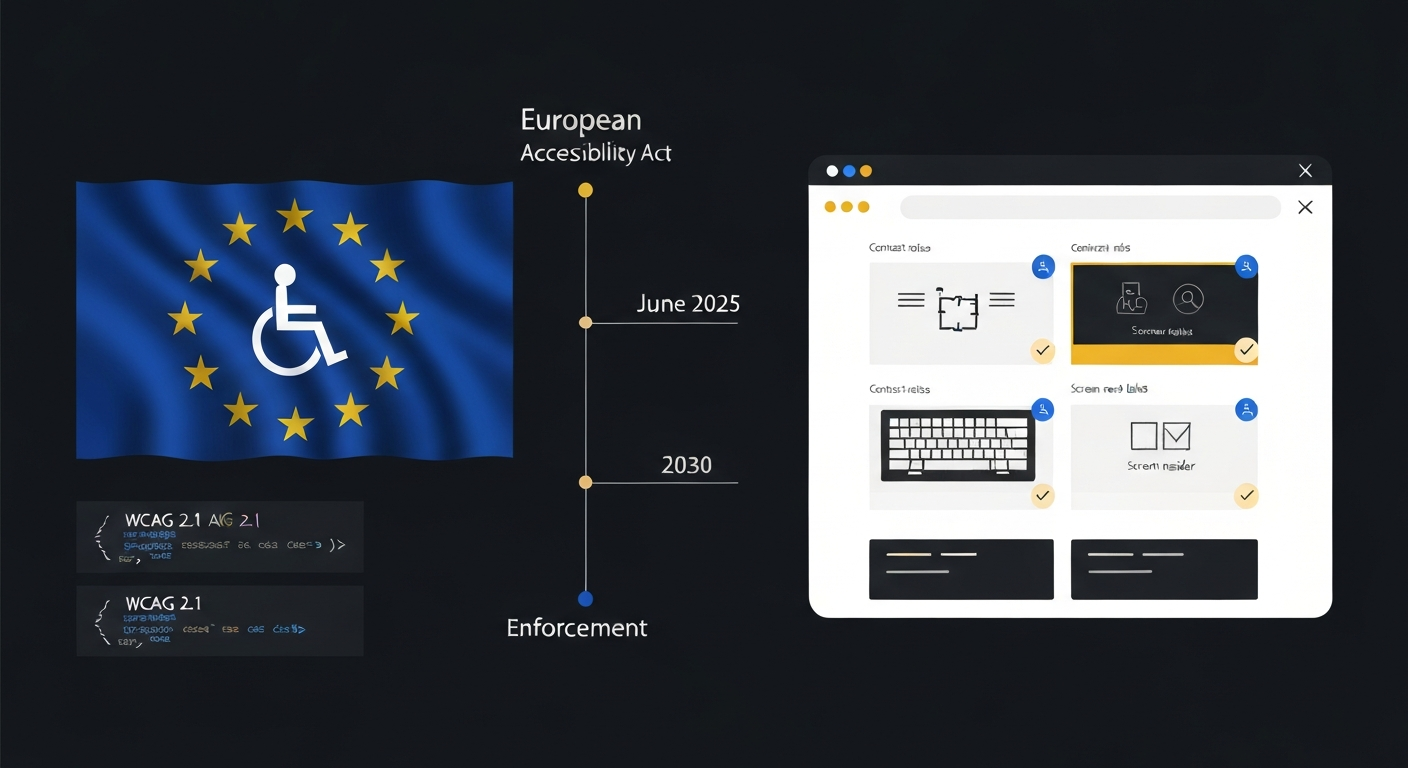
If you ship a SaaS product or web application to European users, the clock has already started. The European Accessibility Act (EAA), Directive (EU) 2019/882, entered its enforcement phase on June 28, 2025. Products and services placed on the EU market after that date must meet mandatory accessibility requirements. Existing services have a grace period running to June 28, 2030 — but "existing service" is a narrower exemption than most developers assume.
This guide covers who must comply, what the technical requirements are, how the microenterprise exemption actually works, and what your accessibility statement must include. By the end, you will have a prioritized implementation checklist you can hand to your engineering team.
What Is the European Accessibility Act?
Directive (EU) 2019/882 — formally the "Directive on the accessibility requirements for products and services" — was adopted on April 17, 2019 and published in the Official Journal on June 7, 2019. Member states were required to transpose it into national law by June 28, 2022, and the substantive obligations apply from June 28, 2025.
The EAA exists because the EU had thirteen different national accessibility frameworks before 2019. A UK-based developer selling software to Germany, France, and Poland faced three separate legal regimes. The EAA harmonizes these into one set of requirements, aligned with international standards and the UN Convention on the Rights of Persons with Disabilities (CRPD), which the EU ratified in 2011.
What the EAA Is Not
The EAA is not the Web Accessibility Directive (Directive 2016/2102), which applies only to public sector websites and apps. If you are a private sector SaaS company, the Web Accessibility Directive does not apply to you directly — but the EAA does, if your service falls within scope.
Scope: Does the EAA Apply to Your Service?
Products in Scope (Article 2)
For hardware products, the EAA covers computers and operating systems, ATMs and payment terminals, self-service terminals, e-readers, TV equipment with interactive digital television services, and telephony equipment.
Services in Scope (Article 2)
For services, the EAA covers:
- Electronic communications services including internet access services, interpersonal communications services (voice calls, messaging, video calls), and related support services
- Audiovisual media services and their websites and mobile apps
- Consumer-facing elements of air, bus, rail, and waterborne passenger transport services — including online booking, ticketing, real-time passenger information systems, and interactive self-service terminals
- Banking services — online banking, mobile banking, e-money services
- E-books and dedicated e-reader software
- E-commerce services — websites and apps used to sell goods or services to consumers
The SaaS Question
The most common SaaS scenario: You build a B2B SaaS product. Does the EAA apply?
The EAA scope is defined by whether your service is used by "consumers" (natural persons acting for purposes outside their trade or profession). A pure B2B tool sold only to businesses, used only by employees in professional capacity, is generally outside the consumer-facing services enumerated in Article 2. However:
- If you also have a consumer-facing component (e.g., a customer portal accessed by end-users of your B2B client's service), that component may be in scope
- If you sell to consumers directly — any plan tier open to individuals for personal use — the service is in scope
- E-commerce checkout flows for any plan are in scope as "e-commerce services" regardless of whether the underlying product is B2B
E-commerce in scope includes:
The EAA's definition of e-commerce services (Article 2(2)(g)) is broad: services provided at a distance, through websites and mobile apps, at the individual request of a consumer, for consideration. This captures SaaS subscription checkout flows, free trial signups that collect payment details, and upgrade flows — even if the underlying software is B2B.
Bottom line: If consumers buy your product online, your checkout and signup flow must comply by June 28, 2025. If your product itself is accessed by consumers, that product interface must comply.
Microenterprise Exemption (Article 22)
Article 22 creates an exemption for microenterprises providing services (not products). A microenterprise is defined according to Commission Recommendation 2003/361/EC as an enterprise with:
- Fewer than 10 employees, AND
- Annual turnover or annual balance sheet total not exceeding €2 million
If both criteria are met, the EAA service obligations do not apply. The product obligations (hardware) are not covered by this exemption.
Important nuances:
- The exemption applies at the service level, not the company level. Once you exceed either threshold, the exemption is lost prospectively.
- If you are part of a group of companies, the thresholds may be calculated at group level depending on partner and linked enterprise relationships under Recommendation 2003/361/EC.
- Even if exempt, member state authorities can still require that microenterprises comply with specific provisions. The EAA sets a floor, not a ceiling.
Practical tip: If you are currently a microenterprise but growing, start building accessibility into your product now. Retrofitting accessibility is significantly more expensive than designing it in from the start.
The Disproportionate Burden Exemption (Article 14)
Even for in-scope services from non-microenterprises, Article 14 allows service providers to claim a disproportionate burden exception if compliance would impose a disproportionate burden. The exception is narrow:
- You must assess the net costs of compliance, taking into account the estimated costs and benefits for the organization
- The assessment must be documented
- You must make the documentation available to supervisory authorities on request
- The exception applies only to specific requirements that cause the burden — not to the entire service
- The exception does not override requirements that can be met without significant burden
The disproportionate burden defense is not "accessibility is expensive." It requires a documented cost-benefit analysis showing that the specific cost would fundamentally alter the nature of the service or impose an objectively excessive burden. Regulators have indicated they will scrutinize this closely.
Technical Requirements: WCAG 2.1 AA and EN 301 549
The Harmonized Standard: EN 301 549
The EAA does not enumerate specific technical requirements in the directive text. Instead, Article 15 establishes a presumption of conformity: if a product or service meets the requirements of harmonized European standards published in the Official Journal, it is presumed to comply with the EAA.
The relevant harmonized standard is EN 301 549 ("Accessibility requirements for ICT products and services"). Version 3.2.1, published in 2021, is the current normative reference. EN 301 549 incorporates WCAG 2.1 by reference for web and mobile content, so in practice, meeting WCAG 2.1 Level AA also means meeting EN 301 549 for web applications.
WCAG 2.1 Level AA: Core Principles
WCAG 2.1 is organized around four principles (POUR):
Perceivable — Information and UI components must be presentable in ways users can perceive:
- All non-text content (images, icons, charts) must have text alternatives (alt text) — 1.1.1
- Video must have captions (1.2.2) and audio descriptions for pre-recorded content (1.2.5)
- Content must not rely solely on color to convey information (1.4.1)
- Text contrast ratio must be at least 4.5:1 for normal text, 3:1 for large text (18pt or 14pt bold) — 1.4.3
- Text must be resizable up to 200% without loss of content or functionality — 1.4.4
- Non-text contrast (UI component borders, focus indicators, icons) must be at least 3:1 — 1.4.11 (AA added in WCAG 2.1)
- Content must not require horizontal scrolling at 320px wide — 1.4.10 (AA, WCAG 2.1)
Operable — UI components and navigation must be operable:
- All functionality must be available from a keyboard — 2.1.1
- No keyboard traps (users must be able to move focus away from any component) — 2.1.2
- No content that flashes more than three times per second — 2.3.1
- Skip navigation links for repeated blocks of content — 2.4.1
- Pages must have meaningful titles — 2.4.2
- Link purpose must be determinable from link text or context — 2.4.4
- Multiple ways to find content (search, site map, navigation) — 2.4.5
- Visible focus indicator — 2.4.7
- Pointer gestures requiring paths or multi-point touches must have alternatives — 2.5.1 (AA, WCAG 2.1)
Understandable — Information and UI operation must be understandable:
- Page language must be identified in code — 3.1.1
- Language changes within a page must be marked — 3.1.2
- Components behave consistently across the site — 3.2.3, 3.2.4
- Error messages must identify the error and, where possible, suggest correction — 3.3.1, 3.3.3
- Input purpose must be programmatically determinable for personal data fields — 1.3.5 (AA, WCAG 2.1)
Robust — Content must be robust enough to be interpreted by current and future assistive technologies:
- Markup must have complete start/end tags, no duplicate attributes — 4.1.1
- Name, role, and value of all UI components must be programmatically determinable — 4.1.2
- Status messages must be programmatically determinable without receiving focus — 4.1.3 (AA, WCAG 2.1)
WCAG 2.1 New Criteria at Level AA
WCAG 2.1 added several new Level AA criteria not in WCAG 2.0. For SaaS developers, the highest-impact new criteria are:
| Criterion | Requirement |
|---|---|
| 1.3.4 Orientation | Do not restrict content to one display orientation |
| 1.3.5 Identify Input Purpose | Autocomplete attributes for personal data fields |
| 1.4.10 Reflow | No horizontal scrolling at 320px CSS width |
| 1.4.11 Non-text Contrast | 3:1 ratio for UI components and graphical objects |
| 1.4.12 Text Spacing | Content remains intact with custom line-height, letter-spacing, word-spacing |
| 1.4.13 Content on Hover or Focus | Content appearing on hover/focus must be dismissable, hoverable, persistent |
| 2.5.1 Pointer Gestures | Single-point alternative for multi-point gestures |
| 2.5.3 Label in Name | Visible label must be part of accessible name |
| 4.1.3 Status Messages | Status messages programmatically determinable |
Accessibility Statement Requirements
Article 13(1)(f) of the EAA requires service providers to include in their terms and conditions — or accessible equivalent — information about the extent to which the service meets accessibility requirements.
The Web Accessibility Directive's implementing decision (EU) 2018/1523 specifies an accessibility statement format for public sector bodies. While not directly binding on private EAA-covered services, it represents best practice and several member states are adopting equivalent requirements for private services.
A compliant accessibility statement for a SaaS product should include:
1. Compliance status
- "Fully conformant" — all WCAG 2.1 AA criteria are met
- "Partially conformant" — some criteria are not met (list them)
- "Non-conformant" — the majority of criteria are not met
2. Non-accessible content For each area of non-conformance:
- Which success criteria are not met
- Why the content is not accessible (technical limitation, disproportionate burden, exemption)
- What accessible alternative is available, if any
3. Preparation and review dates
- Date the statement was last reviewed
- How often you review it (at minimum on each significant release)
4. Feedback mechanism
- A contact method for users to report accessibility barriers
- A response commitment (e.g., within 5 business days)
5. Enforcement body
- The national supervisory authority for your member state (for example, in Germany this is the relevant Marktüberwachungsbehörde)
Enforcement and Penalties
The EAA delegates enforcement to member states. Each member state must designate competent authorities to handle complaints and supervise compliance (Article 26 ff.). Member states set their own penalty structures, subject to the EAA's requirement that penalties be effective, proportionate, and dissuasive.
Typical national enforcement mechanisms include:
- Market surveillance authorities initiating investigations on complaint or own initiative
- Requirement to bring services into conformity within a specified period
- Fines for persistent non-compliance (amounts vary by member state — Germany, France, and the Netherlands have published frameworks with fines up to €50,000 per infringement for persistent violators)
- Prohibition on placing non-compliant services on the market
The complaint-driven model: In most member states, enforcement starts with a user complaint. Users who cannot access a service can complain to the national authority. The authority then investigates the provider. This means companies with no public-facing accessibility complaints can remain under the radar — but the risk is asymmetric: a viral complaint from a disability advocacy group can trigger simultaneous investigations across multiple member states.
Class action risk: The EAA's Article 28 requires member states to ensure that "organizations, associations or other legal entities with a legitimate interest in ensuring compliance" can engage in judicial proceedings. In Germany, BVDI and comparable consumer associations have standing to take providers to court. This exposure is not theoretical — similar organizations have actively pursued cases under GDPR and other EU consumer protection legislation.
Implementation Roadmap for SaaS Teams
Phase 1: Audit (Weeks 1–2)
Automated scan first:
Use axe-core (open source, integrates with Jest and Playwright) or Lighthouse to identify low-hanging fruit. Automated tools catch approximately 30–40% of WCAG 2.1 AA issues reliably.
# Install axe-core with Playwright
npm install --save-dev @axe-core/playwright

# Basic page audit
npx playwright test --headed accessibility.spec.ts
A minimal Playwright accessibility spec:
import { test, expect } from '@playwright/test';
import AxeBuilder from '@axe-core/playwright';

test('dashboard page should have no accessibility violations', async ({ page }) => {
  await page.goto('/dashboard');
  const results = await new AxeBuilder({ page })
    .withTags(['wcag2a', 'wcag2aa', 'wcag21a', 'wcag21aa'])
    .analyze();
  expect(results.violations).toEqual([]);
});
Manual audit checklist (the 40–70% automated tools miss):
- Keyboard-only navigation of all flows (no mouse)
- Screen reader testing with NVDA + Firefox (Windows) and VoiceOver + Safari (Mac/iOS)
- Color contrast verification with Colour Contrast Analyser or browser DevTools
- Zoom to 200% and check for layout breaks and overflow
- Resize to 320px viewport width and check for horizontal scrolling
Phase 2: Remediation Priority Matrix
Not all failures are equal. Prioritize by:
| Impact | Examples | Priority |
|---|---|---|
| Critical — blocks task completion | Missing form labels, keyboard trap, missing alt on key images, focus not visible | P0 — fix in current sprint |
| High — significantly hinders use | Poor contrast (below 3:1 for normal text), missing error identification, no skip navigation | P1 — fix within 2 sprints |
| Medium — notable barrier | Missing heading hierarchy, no page title, inconsistent navigation | P2 — next quarter |
| Low — minor deviation | Suboptimal but accessible: verbose alt text, decorative image missing empty alt | P3 — backlog |
Phase 3: Semantic HTML Foundation
The single highest-ROI investment is fixing semantic HTML. Assistive technologies (AT) build their accessibility tree from your DOM. Divs-as-buttons and spans-as-links break AT in ways that CSS and ARIA cannot fully patch.
Critical semantic fixes:
<!-- BAD: div button -->
<div class="btn" onclick="submit()">Submit</div>

<!-- GOOD: native button -->
<button type="submit">Submit</button>

<!-- BAD: icon-only button -->
<button><svg aria-hidden="true">...</svg></button>

<!-- GOOD: icon button with accessible name -->
<button aria-label="Close dialog">
  <svg aria-hidden="true" focusable="false">...</svg>
</button>

<!-- BAD: missing form label -->
<input type="email" placeholder="Enter email">

<!-- GOOD: explicit label -->
<label for="email">Email address</label>
<input type="email" id="email" autocomplete="email">
Phase 4: ARIA for Dynamic Content
Vanilla HTML covers static content well. For dynamic SaaS UIs — modals, toasts, live data, single-page routing — ARIA roles and live regions fill the gaps:
<!-- Modal dialog -->
<div role="dialog" aria-modal="true" aria-labelledby="modal-title">
  <h2 id="modal-title">Confirm deletion</h2>
  <!-- ... -->
</div>

<!-- Live status messages (success/error toasts) -->
<div aria-live="polite" aria-atomic="true" class="sr-only" id="status-msg">
  <!-- inject status updates here -->
</div>

<!-- Progress indicator -->
<div role="progressbar" aria-valuenow="35" aria-valuemin="0" aria-valuemax="100" aria-label="Upload progress: 35%">
  35%
</div>
Focus management for SPAs:
When your router navigates without a full page reload, screen readers don't know a navigation occurred. Manage focus explicitly:
// React Router example
const router = createBrowserRouter([...]);
router.subscribe(({ location }) => {
  // Move focus to main content after navigation
  const main = document.getElementById('main-content');
  if (main) {
    main.setAttribute('tabindex', '-1');
    main.focus({ preventScroll: true });
  }
  // Announce page title to screen readers
  document.title = getPageTitle(location.pathname);
});
Phase 5: Checkout and Forms (E-commerce Scope)
If your checkout or signup flow is in scope (all consumer-facing purchase flows are), these are mandatory:
Autocomplete attributes (WCAG 1.3.5):
<input type="text" name="name" autocomplete="name">
<input type="email" name="email" autocomplete="email">
<input type="tel" name="phone" autocomplete="tel">
<input type="text" name="organization" autocomplete="organization">

<!-- Billing address -->
<input type="text" name="address1" autocomplete="billing address-line1">
<input type="text" name="city" autocomplete="billing address-level2">
<input type="text" name="postal" autocomplete="billing postal-code">
<select name="country" autocomplete="billing country">
Error identification (WCAG 3.3.1, 3.3.3):
<!-- Bad: color-only error indication -->
<input type="email" class="error-border">

<!-- Good: explicit error with ARIA association -->
<div>
  <label for="email">Email address</label>
  <input
    type="email"
    id="email"
    aria-describedby="email-error"
    aria-invalid="true"
  >
  <span id="email-error" role="alert">
    Please enter a valid email address (example@domain.com)
  </span>
</div>
Testing Tools and CI Integration
Automated Testing Stack
| Tool | Coverage | Integration |
|---|---|---|
| axe-core | ~35% of WCAG 2.1 AA | Jest, Playwright, Cypress, React Testing Library |
| Lighthouse | ~25% overlap with axe | Chrome DevTools, CI via lighthouse-ci |
| Pa11y | ~30%, CLI-friendly | CI pipelines, scheduled audits |
| IBM Equal Access | ~40%, strong ARIA coverage | Webpack, CI, browser extension |
| HTML_CodeSniffer | Standards reporting | CI, bookmarklet |
For production monitoring, consider scheduled accessibility scans with Deque axe Monitor or Level Access AMP — they catch regressions before users do.
CI/CD Integration
Add axe-core to your Playwright E2E suite and fail the build on new violations:
# GitHub Actions example
- name: Accessibility audit
  run: npx playwright test --project=chromium accessibility/
  env:
    AXE_FAIL_ON_VIOLATIONS: 'true'
Run against your staging environment before every release. Track violations in your issue tracker with WCAG criterion references so they don't get lost.
Timeline Summary
| Date | Event |
|---|---|
| April 17, 2019 | EAA adopted |
| June 28, 2022 | Transposition deadline (member states into national law) |
| June 28, 2025 | EAA applies — new products and services must comply |
| June 28, 2027 | Self-service terminals: extended compliance for existing installed base |
| June 28, 2030 | Existing (pre-June 2025) ongoing services must comply |
"Existing ongoing service" means a service that was already being provided before June 28, 2025 under contracts in force at that date. If you launched after June 28, 2025, you have no grace period. If you launched before but have materially updated your service (new features, new flows), the updated elements are generally treated as new services for EAA purposes.
Quick-Start Developer Checklist
Structural (1–2 sprints):
- All images have descriptive
altattributes; decorative images usealt="" - All form inputs have associated
<label>elements (not just placeholder text) - All interactive elements (buttons, links, form controls) are keyboard-accessible
- No keyboard traps in modals, dropdown menus, or date pickers
- Visible focus indicators on all interactive elements (not just outline: none removal)
- Heading hierarchy is logical (h1 → h2 → h3, not skipped)
- Skip-to-main-content link as first focusable element
- Page
<title>is descriptive and unique per view
Visual (1 sprint):
- All text meets 4.5:1 contrast ratio (normal size) or 3:1 (large text ≥18pt or 14pt bold)
- UI component boundaries and active states meet 3:1 non-text contrast
- Color is not the sole indicator of state (errors, required fields, active tabs)
- Layout does not break with text size increased to 200%
- No horizontal scrolling at 320px viewport width
Dynamic content (ongoing):
-
aria-liveregions for status updates and async feedback - Focus managed after modal open/close and SPA route changes
-
role="dialog"andaria-modal="true"on modals witharia-labelledby - Error messages use
aria-invalidandaria-describedbyto reference error text - Autocomplete attributes on personal data input fields (WCAG 1.3.5)
Process:
- Accessibility audit added to release checklist
- Automated axe-core scan in CI pipeline
- Accessibility statement page published at
/accessibility - Feedback mechanism (email or form) for users to report barriers
Adding EAA to Your Hosting Stack
For EU SaaS teams, accessibility compliance is one layer of a broader EU regulatory stack. If you are already working through GDPR, NIS2, or the AI Act, EAA slots into the same compliance program. Key integration points:
Privacy and accessibility overlap: GDPR consent mechanisms must be accessible — a cookie banner a screen reader cannot operate creates simultaneous EAA and GDPR violations. Build consent UIs to WCAG 2.1 AA from day one.
AI-generated content: If your SaaS uses AI to generate images, charts, or infographics, you are responsible for ensuring those outputs include accessible alternatives. AI-generated images without programmatically-associated alt text fail WCAG 1.1.1 regardless of how the image was produced.
Infrastructure choice: Hosting on an EU-native platform (Hetzner-based infrastructure) does not directly affect EAA compliance — but it simplifies your overall compliance posture by eliminating CLOUD Act complications from your data-sovereignty argument when regulators ask about your compliance program documentation.
What Comes Next in This Series
This post covered the EAA scope, microenterprise exemption, technical requirements framework, and implementation roadmap. Upcoming posts in the EU EAA Developer 2026 series:
- Post 2 (next): WCAG 2.1 AA Implementation Deep Dive — technical requirements with real code patterns for the 25 most common SaaS UI components
- Post 3: EAA Mobile App Accessibility — iOS, Android, and Progressive Web App requirements under EN 301 549
- Post 4: EAA Testing & Audit Guide — automated + manual testing stack, CI integration, and third-party audit preparation
- Post 5 (finale): EAA Compliance Toolkit — enforcement timelines, member state variations, accessibility statement template, and complete developer checklist
This post is part of sota.io's EU compliance developer series. sota.io is an EU-native managed PaaS — deploy any language or framework on Hetzner Germany, from €9/month, with no US parent company and no CLOUD Act exposure. Start free →
EU-Native Hosting
Ready to move to EU-sovereign infrastructure?
sota.io is a German-hosted PaaS — no CLOUD Act exposure, no US jurisdiction, full GDPR compliance by design. Deploy your first app in minutes.