EU AI Act Art.50 Transparency 2026: Complete SaaS Implementation Guide — Code, Testing & CI/CD
Post #3 in the EU AI Act August 2026 Deadline Sprint — sota.io Developer Series
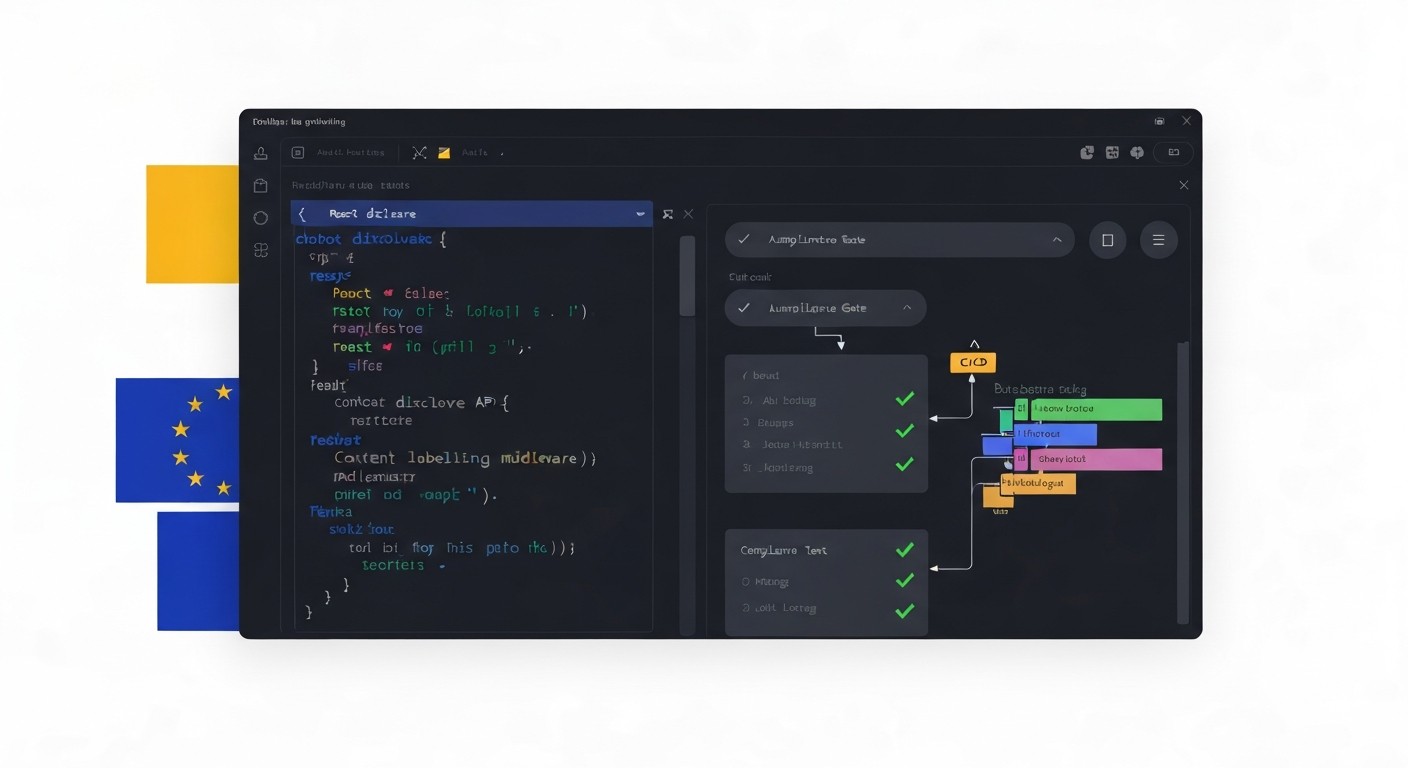
You're in Week 4 of the 9-week compliance sprint. You've documented your Art.9 Risk Management System (Sprint Week 2–3). Now it's time to build the user-facing transparency layer that Art.50 requires before August 2, 2026.
This is not another legal overview. You've read the rules — now you need to ship code. This guide gives you a 5-day implementation playbook: React components, Node.js middleware, database schemas for audit logging, automated compliance tests, and a GitHub Actions gate to prevent regressions.
By Friday, your disclosure system will be code-complete, tested, and ready for the August 2 deadline.
What Art.50 Actually Requires (Implementation View)
Before writing code, map each legal obligation to an engineering deliverable:
| Art.50 Provision | Legal Requirement | Engineering Deliverable |
|---|---|---|
| Art.50(1) | Disclose AI interaction before or at the start | <AIDisclosureBanner> component + session tracking |
| Art.50(2) | Disclose emotion/biometric recognition | Consent modal + processing log |
| Art.50(3) | Label AI-generated synthetic media | data-ai-generated attribute + visible badge |
| Art.50(4) | GPAI watermarking technical solutions | Watermark embedding in generated content |
The August 2, 2026 deadline applies to obligations (1)–(3) for SaaS operators. The GPAI watermarking rules (4) have applied to model providers since August 2025. If you deploy third-party GPAI models in your product, you must also implement watermark detection.
Sprint Week 4 Plan: 5 Days to Compliant
Day 1 (Monday): Audit Your Transparency Gaps
Before writing a line of code, map every AI feature in your product against Art.50:
# Audit script — scan your codebase for AI API calls
grep -r "openai\|anthropic\|gemini\|claude\|gpt\|llm\|chatbot\|ai_response\|generate" \
  src/ \
  --include="*.ts" --include="*.tsx" --include="*.js" \
  -l | sort | uniq
For each file found, answer:
- Does this feature interact with the user in natural language? → Art.50(1) applies
- Does this feature analyse emotion, mood, or biometrics? → Art.50(2) applies
- Does this feature generate images, audio, or video that could be mistaken for real? → Art.50(3) applies
Document your findings in docs/art50-scope.md:
# Art.50 Scope Inventory — [date]

## Art.50(1) — AI Interaction Disclosure Required
- [ ] Customer support chatbot (src/components/ChatWidget.tsx)
- [ ] AI search assistant (src/app/search/page.tsx)
- [ ] Onboarding AI guide (src/components/OnboardingFlow.tsx)

## Art.50(2) — Emotion/Biometric Disclosure Required
- [ ] None currently — sentiment analytics dashboard reads aggregate data only

## Art.50(3) — AI Content Labelling Required
- [ ] AI-generated product descriptions (src/lib/ai-content.ts)
- [ ] AI avatar in video onboarding (src/assets/videos/)
Estimated time: 2–3 hours. This document becomes your audit evidence.
Day 2 (Tuesday): Build the Chatbot Disclosure Component
The most common Art.50(1) implementation in SaaS is a banner or notification at the start of each AI conversation. Here is a production-ready React component:
// src/components/AIDisclosureBanner.tsx
import { useState, useEffect } from "react";

interface AIDisclosureBannerProps {
  sessionId: string;
  aiSystemName?: string;
  onAcknowledged?: (sessionId: string) => void;
  variant?: "banner" | "modal" | "inline";
}

export function AIDisclosureBanner({
  sessionId,
  aiSystemName = "AI Assistant",
  onAcknowledged,
  variant = "banner",
}: AIDisclosureBannerProps) {
  const [dismissed, setDismissed] = useState(false);

  useEffect(() => {
    // Check if user has already seen disclosure in this session
    const seen = sessionStorage.getItem(`ai-disclosure-${sessionId}`);
    if (seen) setDismissed(true);
  }, [sessionId]);

  const handleAcknowledge = async () => {
    sessionStorage.setItem(`ai-disclosure-${sessionId}`, "acknowledged");
    setDismissed(true);

    // Log disclosure event for compliance audit trail
    await fetch("/api/compliance/disclosure-log", {
      method: "POST",
      headers: { "Content-Type": "application/json" },
      body: JSON.stringify({
        sessionId,
        type: "ai_interaction_disclosure",
        aiSystem: aiSystemName,
        timestamp: new Date().toISOString(),
        provision: "EU_AI_ACT_ART50_1",
      }),
    });

    onAcknowledged?.(sessionId);
  };

  if (dismissed) return null;

  return (
    <div
      role="alert"
      aria-live="polite"
      data-compliance="eu-ai-act-art50"
      className="rounded-lg border border-blue-200 bg-blue-50 p-4 text-sm"
    >
      <div className="flex items-start gap-3">
        <span className="text-blue-600 text-lg" aria-hidden="true">🤖</span>
        <div className="flex-1">
          <p className="font-medium text-blue-900">
            You are interacting with {aiSystemName}
          </p>
          <p className="mt-1 text-blue-700">
            This assistant is powered by artificial intelligence. It can make
            mistakes. Please verify important information independently.
          </p>
          <p className="mt-1 text-xs text-blue-500">
            Disclosure required under EU AI Act Article 50(1)
          </p>
        </div>
        <button
          onClick={handleAcknowledge}
          className="text-blue-400 hover:text-blue-600 transition-colors"
          aria-label="Acknowledge AI disclosure"
        >
          ✕
        </button>
      </div>
    </div>
  );
}
Integration pattern — call before the first AI response renders:
// src/components/ChatWidget.tsx
import { AIDisclosureBanner } from "./AIDisclosureBanner";
import { useSessionId } from "@/lib/session";

export function ChatWidget() {
  const sessionId = useSessionId();
  const [disclosureAcknowledged, setDisclosureAcknowledged] = useState(false);

  return (
    <div className="chat-container">
      <AIDisclosureBanner
        sessionId={sessionId}
        aiSystemName="Customer Support AI"
        onAcknowledged={() => setDisclosureAcknowledged(true)}
      />
      {/* Chat messages render here — after or alongside disclosure */}
      <ChatMessages sessionId={sessionId} />
    </div>
  );
}
Accessibility requirements: The disclosure must be perceivable by users with visual impairments. The component above uses role="alert" and aria-live="polite" for screen reader compatibility. Do not rely on colour alone.
Day 3 (Wednesday): Content Labelling Middleware
For AI-generated content (synthetic images, generated text presented as human-written, AI video), you need machine-readable and human-visible labels.
Next.js Middleware for AI-Generated Responses
// src/middleware/ai-content-labeller.ts
import { NextResponse } from "next/server";
import type { NextRequest } from "next/server";

export function withAIContentLabelling(handler: Function) {
  return async (req: NextRequest) => {
    const response = await handler(req);

    if (response.headers.get("content-type")?.includes("application/json")) {
      const body = await response.json();

      if (body.generatedByAI) {
        // Machine-readable headers (Art.50(4) watermarking requirement)
        const newResponse = NextResponse.json(body);
        newResponse.headers.set("X-AI-Generated", "true");
        newResponse.headers.set("X-AI-Regulation", "EU-AI-ACT-ART50");
        newResponse.headers.set("X-AI-System", process.env.AI_SYSTEM_NAME || "unknown");
        newResponse.headers.set("X-AI-Generated-At", new Date().toISOString());
        return newResponse;
      }
    }

    return response;
  };
}
React Component for Visible AI Content Badge
// src/components/AIGeneratedBadge.tsx
interface AIGeneratedBadgeProps {
  contentType: "text" | "image" | "audio" | "video";
  modelId?: string;
  compact?: boolean;
}

export function AIGeneratedBadge({
  contentType,
  modelId,
  compact = false,
}: AIGeneratedBadgeProps) {
  const label = `AI-generated ${contentType}`;

  if (compact) {
    return (
      <span
        className="inline-flex items-center gap-1 rounded px-1.5 py-0.5 text-xs font-medium bg-amber-100 text-amber-800"
        title={`This ${contentType} was generated by artificial intelligence`}
        data-ai-generated="true"
        data-ai-regulation="EU-AI-ACT-ART50-3"
      >
        AI
      </span>
    );
  }

  return (
    <div
      className="flex items-center gap-2 text-sm text-amber-700 bg-amber-50 rounded px-3 py-2 border border-amber-200"
      data-ai-generated="true"
      data-ai-regulation="EU-AI-ACT-ART50-3"
    >
      <svg
        width="16" height="16" viewBox="0 0 24 24" fill="none"
        stroke="currentColor" strokeWidth="2" aria-hidden="true"
      >
        <circle cx="12" cy="12" r="10"/>
        <path d="M12 8v4M12 16h.01"/>
      </svg>
      <span>
        <strong>{label.charAt(0).toUpperCase() + label.slice(1)}</strong>
        {modelId && <span className="text-amber-500 ml-1">· {modelId}</span>}
      </span>
    </div>
  );
}
Usage in product listings with AI-generated descriptions:
// src/components/ProductCard.tsx
import { AIGeneratedBadge } from "./AIGeneratedBadge";

export function ProductCard({ product }) {
  return (
    <div className="product-card">
      <h2>{product.name}</h2>
      {product.descriptionGeneratedByAI ? (
        <>
          <AIGeneratedBadge contentType="text" compact />
          <p>{product.description}</p>
        </>
      ) : (
        <p>{product.description}</p>
      )}
    </div>
  );
}
Day 4 (Thursday): Compliance Test Suite
Automated tests prevent regressions. Here is a Jest test suite for your Art.50 implementation:
// src/__tests__/art50-compliance.test.tsx
import { render, screen, fireEvent, waitFor } from "@testing-library/react";
import { AIDisclosureBanner } from "@/components/AIDisclosureBanner";
import { AIGeneratedBadge } from "@/components/AIGeneratedBadge";

// Mock the compliance API endpoint
jest.mock("@/lib/fetch", () => ({
  apiFetch: jest.fn().mockResolvedValue({ ok: true }),
}));

describe("Art.50(1) — AI Interaction Disclosure", () => {
  test("renders disclosure before user can interact", () => {
    render(
      <AIDisclosureBanner
        sessionId="test-session-001"
        aiSystemName="Test AI"
      />
    );

    expect(screen.getByRole("alert")).toBeInTheDocument();
    expect(screen.getByText(/You are interacting with Test AI/)).toBeInTheDocument();
  });

  test("disclosure contains required EU regulatory reference", () => {
    render(<AIDisclosureBanner sessionId="test-session-002" />);

    const banner = screen.getByRole("alert");
    expect(banner).toHaveAttribute("data-compliance", "eu-ai-act-art50");
    expect(screen.getByText(/Article 50/i)).toBeInTheDocument();
  });

  test("logs disclosure acknowledgement to compliance API", async () => {
    const { apiFetch } = require("@/lib/fetch");
    render(
      <AIDisclosureBanner
        sessionId="test-session-003"
        onAcknowledged={jest.fn()}
      />
    );

    fireEvent.click(screen.getByLabelText("Acknowledge AI disclosure"));

    await waitFor(() => {
      expect(apiFetch).toHaveBeenCalledWith(
        "/api/compliance/disclosure-log",
        expect.objectContaining({
          method: "POST",
          body: expect.stringContaining("EU_AI_ACT_ART50_1"),
        })
      );
    });
  });

  test("disclosure is accessible to screen readers", () => {
    render(<AIDisclosureBanner sessionId="test-session-004" />);

    const banner = screen.getByRole("alert");
    expect(banner).toHaveAttribute("aria-live", "polite");
  });

  test("does not render if session already acknowledged", () => {
    sessionStorage.setItem("ai-disclosure-test-session-005", "acknowledged");
    render(<AIDisclosureBanner sessionId="test-session-005" />);

    expect(screen.queryByRole("alert")).not.toBeInTheDocument();
    sessionStorage.removeItem("ai-disclosure-test-session-005");
  });
});

describe("Art.50(3) — AI-Generated Content Labelling", () => {
  test("badge renders with correct regulatory data attribute", () => {
    render(<AIGeneratedBadge contentType="text" />);

    const badge = screen.getByText(/AI-generated text/i).closest("[data-ai-generated]");
    expect(badge).toHaveAttribute("data-ai-generated", "true");
    expect(badge).toHaveAttribute("data-ai-regulation", "EU-AI-ACT-ART50-3");
  });

  test("compact badge variant renders label", () => {
    render(<AIGeneratedBadge contentType="image" compact />);

    expect(screen.getByText("AI")).toBeInTheDocument();
    expect(screen.getByTitle(/generated by artificial intelligence/i)).toBeInTheDocument();
  });

  test("badge includes model ID when provided", () => {
    render(<AIGeneratedBadge contentType="video" modelId="gemini-2.0-flash" />);

    expect(screen.getByText("gemini-2.0-flash")).toBeInTheDocument();
  });
});

describe("Art.50 — Audit Logging Schema Validation", () => {
  const validDisclosureLog = {
    sessionId: "test-123",
    type: "ai_interaction_disclosure",
    aiSystem: "Customer Support AI",
    timestamp: "2026-05-30T12:00:00Z",
    provision: "EU_AI_ACT_ART50_1",
  };

  test("disclosure log contains all required fields", () => {
    const requiredFields = ["sessionId", "type", "aiSystem", "timestamp", "provision"];
    for (const field of requiredFields) {
      expect(validDisclosureLog).toHaveProperty(field);
    }
  });

  test("provision field references correct article", () => {
    expect(validDisclosureLog.provision).toMatch(/ART50/);
  });
});
Run your tests before every commit:
# package.json script
"test:compliance": "jest --testPathPattern='art50-compliance' --coverage --coverageThreshold='{\"global\":{\"lines\":90}}'"
Day 5 (Friday): CI/CD Gate + Deploy
Add a GitHub Actions workflow that blocks deploys when compliance tests fail:
# .github/workflows/compliance-gate.yml
name: EU AI Act Art.50 Compliance Gate

on:
  pull_request:
    paths:
      - "src/components/AI*.tsx"
      - "src/middleware/ai-*.ts"
      - "src/__tests__/art50-*.test.tsx"

jobs:
  art50-compliance:
    name: Art.50 Compliance Tests
    runs-on: ubuntu-latest

    steps:
      - uses: actions/checkout@v4

      - name: Setup Node.js
        uses: actions/setup-node@v4
        with:
          node-version: "20"
          cache: "npm"

      - name: Install dependencies
        run: npm ci

      - name: Run Art.50 compliance test suite
        run: npm run test:compliance
        env:
          CI: true

      - name: Check for required data attributes
        run: |
          # Ensure all AI-interaction components have compliance attributes
          grep -r "data-compliance" src/components/AI*.tsx || \
            (echo "ERROR: Missing data-compliance attribute in AI component" && exit 1)

          # Ensure all AI-generated content has labelling
          grep -r "data-ai-generated" src/components/ || \
            (echo "WARNING: No AI-generated content badges found" && exit 0)

      - name: Verify disclosure API endpoint
        run: |
          # Check that compliance logging endpoint exists
          test -f "src/app/api/compliance/disclosure-log/route.ts" || \
            (echo "ERROR: Compliance logging endpoint missing" && exit 1)
The compliance logging API endpoint:
// src/app/api/compliance/disclosure-log/route.ts
import { NextRequest, NextResponse } from "next/server";
import { db } from "@/lib/db";

export async function POST(request: NextRequest) {
  const body = await request.json();

  const { sessionId, type, aiSystem, timestamp, provision } = body;

  // Validate required fields
  if (!sessionId || !type || !provision) {
    return NextResponse.json(
      { error: "Missing required compliance log fields" },
      { status: 400 }
    );
  }

  // Store in database for audit evidence
  await db.complianceLog.create({
    data: {
      sessionId,
      eventType: type,
      aiSystem: aiSystem ?? "unknown",
      eventTimestamp: new Date(timestamp),
      provision,
      userAgent: request.headers.get("user-agent") ?? "unknown",
      ipHash: await hashIP(request.headers.get("x-forwarded-for") ?? ""),
    },
  });

  return NextResponse.json({ logged: true });
}

// Hash IP for GDPR compliance — store no raw IP
async function hashIP(ip: string): Promise<string> {
  const encoder = new TextEncoder();
  const data = encoder.encode(ip + process.env.IP_HASH_SALT);
  const hash = await crypto.subtle.digest("SHA-256", data);
  return Buffer.from(hash).toString("hex");
}
Database schema (Prisma):
// prisma/schema.prisma — add this model
model ComplianceLog {
  id             String   @id @default(cuid())
  sessionId      String
  eventType      String
  aiSystem       String
  eventTimestamp DateTime
  provision      String
  userAgent      String
  ipHash         String
  createdAt      DateTime @default(now())

  @@index([sessionId])
  @@index([provision])
  @@index([eventTimestamp])
}
This schema creates an auditable record of every transparency disclosure event — essential evidence if a national competent authority (NCA) investigates your Art.50 compliance.
Post-Implementation Monitoring
Art.72 Post-Market Monitoring Hook
Once live, Art.72 requires ongoing monitoring of your AI system's performance. Wire your disclosure acknowledgement rate into your monitoring system:
// src/lib/art50-monitoring.ts
export async function trackDisclosureMetrics(sessionId: string) {
  const metrics = {
    disclosureShown: 1,
    disclosureAcknowledged: 0,
    sessionDuration: 0,
  };

  // Push to your analytics system
  await analytics.track("art50_disclosure_shown", {
    sessionId,
    regulation: "EU_AI_ACT_ART50_1",
    timestamp: new Date().toISOString(),
  });

  return metrics;
}
Track these KPIs weekly:
- Disclosure acknowledgement rate — should be >95% (users not bypassing)
- Disclosure-to-interaction gap — time between disclosure and first user message (should be >0)
- Missing disclosure incidents — sessions with AI responses but no disclosure log entry
Week 4 Sprint Checkpoint
By end of Friday, verify:
-
docs/art50-scope.mdcompleted — all AI features mapped to obligations -
<AIDisclosureBanner>deployed to all AI interaction surfaces - Disclosure acknowledgement logged to
compliance_logtable -
<AIGeneratedBadge>on all synthetic/AI content -
data-ai-generatedanddata-ai-regulationattributes on content elements -
X-AI-Generatedresponse headers on AI-generated API responses - Jest test suite passing with ≥90% coverage
- CI/CD compliance gate blocking failing PRs
- Compliance logging API endpoint live and responding
- Database schema migrated and indexed
Art.50 compliance status: IMPLEMENTED ✓
Next sprint week: Post #1409 covers Art.73 Incident Reporting integrated with your monitoring stack.
Common Implementation Mistakes
Mistake 1: One-time disclosure instead of per-session Some teams show the AI disclosure once during account creation and never again. Art.50(1) requires disclosure when "natural persons are interacting with an AI system." This means each conversational session, not just once at signup.
Mistake 2: Disclosure that disappears before the user reads it Auto-dismiss timers of 3–5 seconds may not give users adequate time. Keep the disclosure visible until the user explicitly acknowledges it or begins interacting.
Mistake 3: No audit trail Regulators investigating Art.50 compliance will ask: "Can you prove users received the required disclosure?" Without a logged acknowledgement, you cannot answer yes. The compliance logging API is not optional overhead — it is your legal evidence.
Mistake 4: Missing disclosure on API responses used by third parties
If you have a B2B API that other developers embed in their products, your generated content may appear to end users without any AI label. Ensure your API responses include the X-AI-Generated header and that your developer documentation instructs API consumers of their own Art.50(3) obligations.
Mistake 5: Treating GPAI watermarking as out of scope If your product directly calls GPAI models (Claude, GPT-4, Gemini, Mistral) and surfaces generated content to EU users, you are an operator and must implement watermark detection. The model provider embeds watermarks — your obligation is to preserve and surface them, not strip them.
Hosting Your Compliant SaaS in the EU
The infrastructure running your transparency systems matters. Your compliance logging database, your disclosure API endpoint, and your audit logs must be protected by EU law — not the CLOUD Act.
If your SaaS runs on AWS, Azure, or GCP (US-parent cloud providers), your compliance logs — including Art.50 disclosure event records — could be accessed by US authorities under the CLOUD Act without your consent or a European court order.
sota.io deploys your SaaS entirely on Hetzner Germany — no US-parent, no CLOUD Act exposure. Your Art.50 audit trail stays under EU law.
Summary: Art.50 Transparency in Code
| Day | Deliverable | Regulation |
|---|---|---|
| 1 | Art.50 scope audit (docs/art50-scope.md) | All provisions |
| 2 | <AIDisclosureBanner> component + session logging | Art.50(1) |
| 3 | <AIGeneratedBadge> + response headers | Art.50(3)+(4) |
| 4 | Jest compliance test suite + coverage gate | All provisions |
| 5 | GitHub Actions CI/CD gate + compliance logging API | All provisions |
August 2, 2026 is 63 days away. Week 4 of your 9-week sprint is complete. Continue to Sprint Week 5: Art.73 Incident Reporting + Monitoring Stack Integration.
EU-Native Hosting
Ready to move to EU-sovereign infrastructure?
sota.io is a German-hosted PaaS — no CLOUD Act exposure, no US jurisdiction, full GDPR compliance by design. Deploy your first app in minutes.