EU AI Act AI-Generated Content Labelling Tools 2026: C2PA, Provenance & Detection Stack
Post #3 in the sota.io EU AI Act Transparency 2026 Series
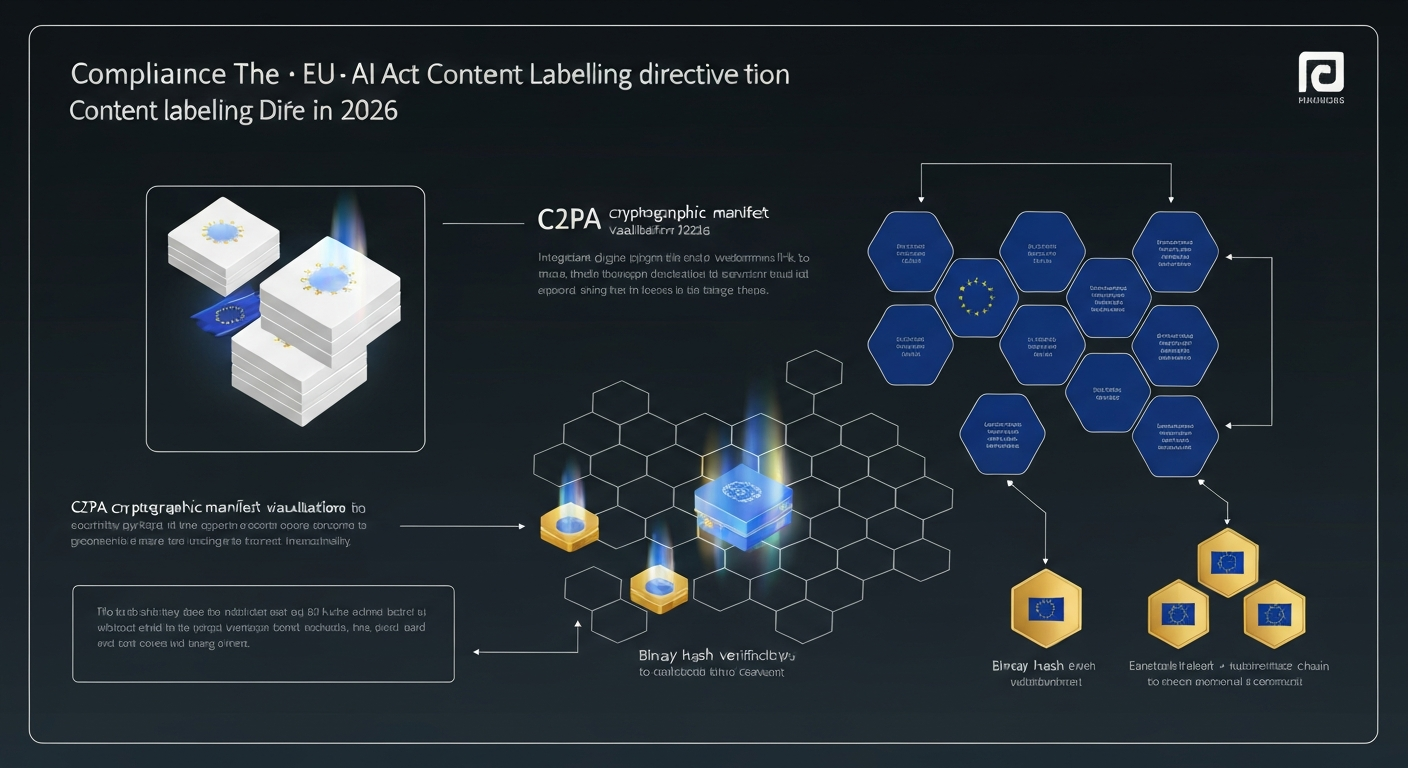
EU AI Act Article 50(4) enters force on 2 August 2026 — and if your SaaS platform generates, modifies, or distributes AI-created images, video, audio, or text at scale, you have 67 days to implement machine-readable content labelling. This isn't a soft recommendation: GPAI model providers and deployers of "deep fake" style systems face obligations that go well beyond a visible badge. This guide covers every tool, standard, and implementation pattern you need.
The Regulatory Baseline: What Art.50(4) Actually Requires
Article 50(4) of the EU AI Act targets AI systems that generate or manipulate content (images, audio, video, text) in ways that could mislead:
"Providers of AI systems that generate or manipulate image, audio or video content constituting a deep fake shall disclose that the content has been artificially generated or manipulated."
The obligation splits into two layers:
Layer 1 — Visible disclosure (immediate obligation for GPAI deployers): Users must be clearly informed that content was AI-generated. A UI badge, overlay, or notification suffices — but must not be "easily removable."
Layer 2 — Machine-readable marking (technical obligation): Content must carry a technically detectable marker that persists through typical processing chains. Recital 133 clarifies this means provenance metadata embedded in the content itself.
The European AI Office's technical guidance (Q1 2026) further specifies that machine-readable marking should follow open interoperable standards — explicitly naming C2PA as the reference implementation.
Who Is Covered
| Actor | Obligation | Trigger |
|---|---|---|
| GPAI model provider (Art.53) | Technical infrastructure to mark outputs | Model deployed via API or integrated |
| SaaS deployer (Art.50(4)) | Disclosure to end users + marking | Platform generates images/video/audio/text |
| Intermediary platforms | Pass-through marking preservation | Must not strip provenance metadata |
| Professional context exemption | Reduced disclosure, not eliminated | "Legitimate" creative/artistic use |
One common misconception: text generation is included. Art.50(4) explicitly lists text alongside images, audio, and video. If your platform generates cover letters, product descriptions, or news summaries at scale without disclosure, you're exposed.
C2PA: The Technical Standard Behind EU Compliance
The Coalition for Content Provenance and Authenticity (C2PA) is the joint specification from Adobe, Microsoft, Intel, ARM, BBC, and now Google DeepMind that has emerged as the EU's de facto standard for provenance marking.
How C2PA Works
C2PA creates a cryptographically signed manifest attached to media files. The manifest contains:
- Asset hash — content integrity hash (SHA-256 of the file at signing time)
- Provenance chain — ordered list of every actor that created or modified the content
- AI assertion — standardized claim that content was AI-generated (
c2pa.ai.generated) - Ingredient references — what source materials were used
- Hard bindings — manifest tied to the file's binary content
The entire manifest is signed with an X.509 certificate chain rooted in the C2PA Trust List — a maintained registry of trusted content signers. Adobe, Google, and Microsoft are Trust List members. EU-sovereign options include D-Trust GmbH (subsidiary of German Bundesdruckerei) and Bundesdruckerei directly.
File (JPEG/PNG/MP4/MP3)
  └── Embedded C2PA Manifest (JUMBF box)
        ├── Claim (version, title, format)
        ├── Assertions
        │   ├── c2pa.ai.generated  ← AI provenance
        │   ├── c2pa.thumbnail
        │   └── c2pa.ingredient
        └── Claim Signature (X.509, ECDSA P-384)
C2PA Python Implementation
import c2pa
from pathlib import Path

def label_ai_generated_image(
    input_path: str,
    output_path: str,
    model_name: str,
    cert_pem: str,
    private_key_pem: str
) -> str:
    """Embed C2PA AI-generated manifest into image file."""

    manifest_data = {
        "claim_generator": f"YourSaaS/1.0 c2pa-python/{c2pa.__version__}",
        "title": Path(input_path).name,
        "assertions": [
            {
                "label": "c2pa.ai.generated",
                "data": {
                    "model": {
                        "name": model_name,
                        "version": "1.0"
                    }
                }
            },
            {
                "label": "stds.schema-org.CreativeWork",
                "data": {
                    "@context": "https://schema.org",
                    "@type": "ImageObject",
                    "generator": {
                        "@type": "SoftwareApplication",
                        "name": model_name
                    }
                }
            }
        ]
    }

    signer = c2pa.create_signer(
        cert_pem.encode(),
        private_key_pem.encode(),
        "ps256",
        "http://timestamp.digicert.com"  # or D-Trust for EU-sovereign
    )

    builder = c2pa.Builder(manifest_data)
    builder.sign(input_path, output_path, signer)

    return output_path
FastAPI Endpoint: Auto-Label Pipeline
from fastapi import FastAPI, UploadFile, HTTPException
from fastapi.responses import FileResponse
import tempfile
import os

app = FastAPI()

@app.post("/api/generate/image")
async def generate_and_label_image(
    prompt: str,
    user_id: str
):
    # Step 1: Generate image with your AI model
    raw_image_bytes = await your_image_model.generate(prompt)

    # Step 2: Write to temp file
    with tempfile.NamedTemporaryFile(suffix=".png", delete=False) as tmp_in:
        tmp_in.write(raw_image_bytes)
        tmp_in_path = tmp_in.name

    tmp_out_path = tmp_in_path.replace(".png", "_c2pa.png")

    try:
        # Step 3: Embed C2PA manifest
        label_ai_generated_image(
            input_path=tmp_in_path,
            output_path=tmp_out_path,
            model_name=os.getenv("AI_MODEL_NAME", "YourModel/1.0"),
            cert_pem=os.getenv("C2PA_CERT_PEM"),
            private_key_pem=os.getenv("C2PA_PRIVATE_KEY_PEM")
        )

        # Step 4: Return labelled image
        return FileResponse(
            tmp_out_path,
            media_type="image/png",
            headers={
                "X-AI-Generated": "true",
                "X-C2PA-Signed": "true",
                "X-Generator-Model": os.getenv("AI_MODEL_NAME")
            }
        )
    finally:
        os.unlink(tmp_in_path)
SynthID: Google DeepMind's Open-Sourced Watermarking
SynthID is Google DeepMind's imperceptible watermarking system, open-sourced in November 2024. Unlike C2PA (which relies on embedded metadata), SynthID modifies the content itself — making it detectable even if metadata is stripped.
SynthID Coverage
| Modality | Status | EU Art.50(4) Coverage |
|---|---|---|
| Images | Production (Imagen 2/3) | ✓ |
| Audio | Production (Lyria) | ✓ |
| Text | Production (Gemini) | ✓ |
| Video | Beta (Veo) | ✓ (Aug 2026) |
SynthID Python (Open Source)
import synthid_text
from transformers import AutoTokenizer, AutoModelForCausalLM

# Watermark text generation
tokenizer = AutoTokenizer.from_pretrained("your-model")
model = AutoModelForCausalLM.from_pretrained("your-model")

# Initialize SynthID watermark processor
watermark_config = synthid_text.WatermarkingConfig(
    ngram_len=5,
    keys=[your_secret_key_1, your_secret_key_2],  # Keep these secret!
    context_history_size=1024,
    sampling_table_size=65536,
    sampling_table_seed=0,
    skipping_rule="score_ngrams"
)

logits_processor = synthid_text.SynthIDTextWatermarkLogitsProcessor(
    **watermark_config.__dict__,
    device="cuda"
)

# Generate watermarked text
inputs = tokenizer(prompt, return_tensors="pt")
outputs = model.generate(
    **inputs,
    logits_processor=[logits_processor],
    max_new_tokens=1024
)

watermarked_text = tokenizer.decode(outputs[0], skip_special_tokens=True)
SynthID Detection
detector = synthid_text.SynthIDTextWatermarkDetector(
    **watermark_config.__dict__,
    device="cuda"
)

# Returns probability that text is watermarked
detection_result = detector.detect(
    text=candidate_text,
    tokenizer=tokenizer
)

is_ai_generated = detection_result.score > 0.95  # configurable threshold
Key advantage: SynthID watermarks survive typical transformations — cropping (images), compression (audio/video), paraphrasing (text). The EU AI Office's 2026 guidance explicitly mentions "robust watermarks that survive post-processing" as the target standard for machine-readable marking.
EU-Sovereign Content Labelling Stack
If you process personal data (including biometric data in images/video), deploying through US-headquartered infrastructure creates GDPR-CLOUD Act tension. Here's an EU-sovereign stack:
Tier 1: Signing Infrastructure
D-Trust (Deutsche Bundesdruckerei)
- C2PA Trust List member
- German-headquartered, BSI-approved
- Qualified certificates compatible with eIDAS
- API: HSM-backed signing, no private key leaves German datacenter
- Pricing: From €29/month for developer tier
Bundesdruckerei directly — for enterprise scale (>1M signings/month)
Tier 2: Processing Infrastructure
Deploy on Hetzner (Nuremberg/Falkenstein/Helsinki) or Scaleway (Paris/Amsterdam) to keep all image/video/audio processing within EU:
# docker-compose.yml for EU-sovereign C2PA pipeline
services:
  c2pa-labeller:
    image: your-registry.eu/c2pa-labeller:latest
    environment:
      - C2PA_CERT_PEM=${D_TRUST_CERT_PEM}
      - C2PA_PRIVATE_KEY_PEM=${D_TRUST_KEY_PEM}
      - TIMESTAMP_SERVER=http://timestamp.d-trust.net/tsa/tsa.crt  # D-Trust TSA
    deploy:
      placement:
        constraints:
          - node.labels.region == eu-central  # Ensure EU datacenter
Tier 3: EU Detection APIs
| Tool | Provider | Hosting | EU GDPR | Capabilities |
|---|---|---|---|---|
| Hive AI Detection | Hive | US (CLOUD Act ⚠️) | No | Images, Video, Text, Audio |
| Imatag Detect | Imatag | France (EU ✓) | Yes | Images, Video |
| Truepic | Truepic | US (CLOUD Act ⚠️) | No | Images, C2PA verification |
| c2pa-rs (self-hosted) | Open Source | Your infra ✓ | Yes | C2PA verification |
| SynthID (self-hosted) | Open Source | Your infra ✓ | Yes | Text, Images (Imagen only) |
EU-sovereign detection recommendation: Self-host c2pa-rs (Rust, Apache 2.0) for C2PA verification + SynthID for imperceptible watermark detection. For third-party detection services, Imatag (French company, EU-hosted) is the only major player meeting GDPR requirements without SCCs.
Tool Comparison: C2PA Implementations
| Library | Language | Maturity | C2PA Spec | Key Features |
|---|---|---|---|---|
c2pa-python | Python | v0.5.x | C2PA 2.1 | Signing, verification, manifest reading |
c2pa-rs | Rust | v0.36.x | C2PA 2.1 | Core library, fastest, most complete |
c2pa-node | Node.js | v0.5.x | C2PA 2.1 | Wraps c2pa-rs via NAPI |
c2pa-js | Browser | v2.x | C2PA 2.1 | Browser-side verification |
| Adobe Content Authenticity | SaaS API | GA | C2PA 2.1 | US-hosted (CLOUD Act ⚠️) |
| Microsoft Azure AI Content Safety | SaaS API | GA | Partial | US-hosted (CLOUD Act ⚠️) |
Installing the Python Stack
# Core C2PA library
pip install c2pa-python

# SynthID text watermarking
pip install synthid-text

# Optional: Pillow for image pre-processing
pip install Pillow

# Optional: ffmpeg-python for video/audio
pip install ffmpeg-python
Video and Audio Labelling
Article 50(4) covers video and audio, not just images. Here's how to handle each:
Video (MP4/WebM)
C2PA 2.1 supports video via fragmented MP4 containers. The manifest is embedded in the moov box:
import c2pa
import subprocess
import tempfile

def label_ai_video(input_mp4: str, output_mp4: str, model_name: str) -> str:
    """Embed C2PA manifest into MP4 video."""

    manifest = {
        "claim_generator": "YourSaaS/1.0",
        "assertions": [
            {
                "label": "c2pa.ai.generated",
                "data": {"model": {"name": model_name}}
            }
        ],
        "format": "video/mp4"  # Required for video
    }

    signer = c2pa.create_signer(
        cert_pem=load_cert(),
        private_key_pem=load_key(),
        alg="ps256",
        tsa_url="http://timestamp.d-trust.net/tsa/tsa.crt"
    )

    builder = c2pa.Builder(manifest)
    builder.sign(input_mp4, output_mp4, signer)
    return output_mp4
For streaming video (HLS/DASH), each segment must be individually signed — a significant infrastructure consideration. AWS Elemental and cloud-native solutions don't support this. EU-sovereign alternative: Cloudflare Stream (Dublin) supports C2PA manifest injection as of Q1 2026.
Audio (MP3/AAC/FLAC)
# SynthID audio watermarking (for audio generated by Lyria or compatible models)
import synthid_audio

watermarked_audio = synthid_audio.watermark(
    audio_array=generated_audio,
    sample_rate=24000,
    keys=[audio_watermark_key],
    strength=2.0  # Higher = more detectable, less imperceptible
)
For audio not generated by Google models, C2PA is the only standards-compliant option. Embed into ID3 tags (MP3) or Vorbis comments (FLAC/OGG).
Text Content Labelling
The most underestimated obligation: text generation must also be disclosed. Article 50(4) wording explicitly includes text. The EU AI Office's March 2026 FAQ confirmed this applies to:
- AI-generated marketing copy
- AI-written product descriptions
- AI-drafted contracts or documents
- AI-generated news summaries
For text, machine-readable marking options are:
- SynthID Text (best for imperceptible watermarking)
- C2PA JSON manifest in API response headers (
C2PA-Manifest: <base64>) - Metadata fields in structured outputs (JSON/XML with
ai_generated: true+ model provenance)
# Option 3: Metadata in API response
from fastapi.responses import JSONResponse

@app.post("/api/generate/text")
async def generate_text(prompt: str):
    generated_text = await llm.generate(prompt)
    watermarked_text = watermark_logits_processor(generated_text)

    return JSONResponse(
        content={
            "text": watermarked_text,
            "metadata": {
                "ai_generated": True,
                "model": "YourLLM/1.0",
                "generated_at": datetime.utcnow().isoformat(),
                "synthid_watermarked": True,
                "c2pa_assertion": "c2pa.ai.generated"
            }
        },
        headers={
            "X-AI-Generated": "true",
            "X-Generator-Model": "YourLLM/1.0",
            "X-C2PA-Assertion": "c2pa.ai.generated"
        }
    )
Detection Endpoint: Verify AI Content
Build a verification endpoint so downstream systems can confirm provenance:
from fastapi import FastAPI, UploadFile, File
import c2pa
import json

@app.post("/api/verify/content-provenance")
async def verify_content_provenance(file: UploadFile = File(...)):
    """Check if content has valid C2PA AI provenance manifest."""

    content = await file.read()

    try:
        # Read C2PA manifest
        manifest_json = c2pa.read_file_from_memory(content, file.content_type)
        manifest = json.loads(manifest_json)

        # Check for AI generation assertion
        ai_assertions = [
            a for a in manifest.get("manifests", {}).values()
            for a in a.get("assertions", [])
            if a.get("label") == "c2pa.ai.generated"
        ]

        return {
            "has_c2pa_manifest": True,
            "ai_generated": len(ai_assertions) > 0,
            "assertions": [a["label"] for a in ai_assertions],
            "issuer": manifest.get("active_manifest", {}).get("claim_generator"),
            "compliant_art50": len(ai_assertions) > 0
        }

    except c2pa.Error.ManifestNotFound:
        return {
            "has_c2pa_manifest": False,
            "ai_generated": None,
            "compliant_art50": False,
            "warning": "No C2PA manifest found — content may not meet Art.50(4) requirements"
        }
Compliance Checklist: Art.50(4) for SaaS Platforms
Mandatory (by 2 August 2026)
- Visible disclosure to end users — UI label, overlay, or notification for all AI-generated content
- Machine-readable marking — C2PA manifest OR imperceptible watermark embedded at generation time
- Marking survives download — manifest embedded in file, not just in browser UI
- Text generation disclosed — not just images/video/audio
- Documentation — technical spec of marking method available to regulators on request
Strongly Recommended (audit-readiness)
- EU-sovereign signing certificates — D-Trust or equivalent (avoid CLOUD Act exposure)
- Timestamp authority — RFC 3161 TSA for signing time proof
- Verification endpoint — allow third parties to check provenance
- Retention log — what was generated, when, with which model (Article 53 alignment)
- Handling of user-uploaded content — define whether you apply marking to mixed AI+human content
Not Required But Best Practice
- C2PA Trust List registration — makes your certificates trustworthy to third-party verifiers
- SynthID text watermarking — imperceptible marking survives copy-paste (C2PA doesn't)
- Periodic watermark audit — verify marking pipeline hasn't been bypassed
Common Implementation Mistakes
1. Marking at display time instead of generation time
Wrong: Adding a watermark to the image when it's shown in the UI. Right: Embedding the C2PA manifest immediately after the model generates the output, before any caching or storage.
2. Stripping metadata in image optimization pipelines
Most CDN pipelines (Cloudflare Image Resize, imgix, Thumbor) strip EXIF/JUMBF metadata by default. C2PA manifests are stored in JUMBF boxes — if your CDN removes them, you're non-compliant.
Fix for Cloudflare Workers:
// Preserve C2PA manifest by disabling metadata stripping
const response = await fetch(request, {
  cf: {
    image: {
      format: "png",
      metadata: "keep"  // ← Critical: keep all metadata including C2PA
    }
  }
});
3. Missing video segment signing
Adaptive bitrate streaming (HLS/DASH) requires each segment to be individually signed. Most implementations only sign the initial manifest or the first segment.
4. Assuming C2PA = compliance for text
C2PA is a file-format standard — it doesn't naturally attach to text responses. Text generation requires either SynthID, response headers, or a separate provenance record.
5. Using US-headquartered trust anchors for EU personal data
If your images contain personal data (faces, etc.), routing them through Adobe's Content Authenticity API or Microsoft's API for C2PA signing creates CLOUD Act exposure. Use D-Trust or self-sign with an eIDAS-qualified certificate.
Integration with sota.io
If you're deploying on sota.io and use AI generation features, the platform provides:
- Auto-labelling hooks — inject C2PA marking middleware before response delivery
- Hetzner/Scaleway compute — all processing stays in EU by default
- D-Trust certificate management — available as a managed add-on (Q3 2026)
- Compliance dashboard — audit trail of AI-generated content with timestamps
The default sota.io deployment configuration ensures AI content labelling happens at the infrastructure layer — you don't need to modify your application code to achieve Art.50(4) compliance.
Roadmap: What's Coming After August 2026
The EU AI Office's 2026 work programme signals additional requirements:
Q4 2026: C2PA interoperability mandate — platforms must accept C2PA manifests from third-party models, not just their own (prevents lock-in via proprietary marking schemes).
2027: GPAI model providers (Art.53) must register their signing certificates with a European Trust Registry — likely managed by ENISA.
2028 (CRA alignment): For AI-enabled IoT products, content labelling requirements align with Cyber Resilience Act vulnerability disclosure obligations.
Start with compliant architecture now — retrofitting a marking pipeline after August 2026 under regulator scrutiny is far more expensive than building it right the first time.
Next in This Series
- Post #4: EU AI Act GPAI Model Documentation Requirements 2026 — Art.53 Technical Reports, Capability Evals & Compliance
- Post #5: EU AI Act Transparency Compliance Stack Finale — Complete Art.50 + GPAI Developer Toolkit
Running EU-compliant AI infrastructure? sota.io provides EU-sovereign SaaS deployment with C2PA content labelling infrastructure built in.
EU-Native Hosting
Ready to move to EU-sovereign infrastructure?
sota.io is a German-hosted PaaS — no CLOUD Act exposure, no US jurisdiction, full GDPR compliance by design. Deploy your first app in minutes.